OverTheWire Bandit: Levels 30–34
Level 30 — The hidden branch
This level built on the previous Git challenges, except this time the password was not sitting on the obvious branches like master or dev. Somewhere else in the repository history was a branch containing the real value, and the problem became figuring out how to survey the repository efficiently instead of checking branches one at a time.
I could have manually switched between branches and inspected the README on each, but there was a cleaner approach. Running git log --all --oneline gave me a compact view of commit history across every ref in the repository rather than just the currently checked out branch.
The --all flag tells Git to walk history reachable from every ref it knows about, including branches and tags, instead of limiting itself to the current branch. The --oneline flag compresses each commit into a single short line containing the abbreviated hash and commit message. Together, the two options provided a quick bird’s-eye view of the repository’s structure and made the interesting branch stand out almost immediately from the commit messages alone.
Once I identified the correct branch, switching to it revealed the password in the repository contents.
This level reinforced a Git habit that has turned out to be genuinely useful outside the wargame: when exploring an unfamiliar repository, git log --all is often one of the best first commands to run. It surfaces relationships between refs quickly and helps reveal parts of the repository that are invisible from the current branch alone.
Level 31 — The git tag
This repository initially looked almost empty. git log showed only a single commit, there were no interesting branches beyond master, and git diff showed no changes. At first glance, there did not seem to be any obvious place for the password to be hiding.
The important detail was realizing that Git stores more than just branches and commits. Tags are also first-class refs, and annotated tags can contain their own metadata and messages separate from normal commit history.
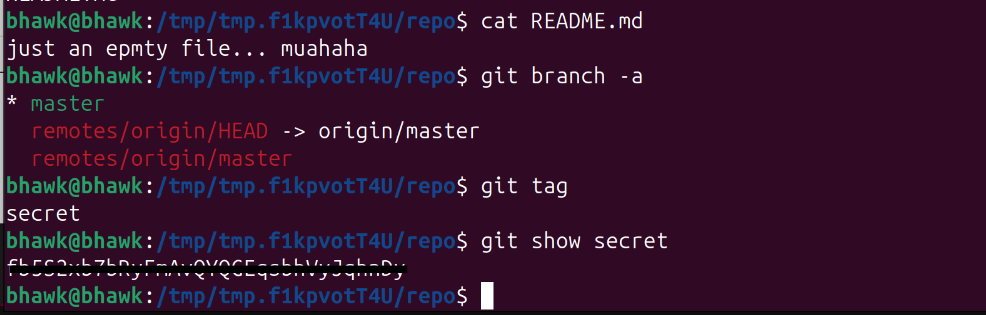
Since tags do not appear in git branch output and are easy to overlook during normal history inspection, I explicitly listed them with git tag. That revealed a tag named secret.
Running git show secret displayed both the tag information and the commit it referenced. The README itself turned out to be a distraction — the actual password was stored directly inside the annotated tag message.
This level expanded my mental model of where information can exist inside a Git repository. Branches are only one kind of ref. Tags, notes, stashes, reflogs, and dangling objects are all separate surfaces that can contain useful information even when the visible working tree appears clean.
One of the most useful repository-surveying commands I picked up from this level was `git for-each-ref.
Unlike git branch or git tag, which only show one category of refs at a time, git for-each-ref provides a broader inventory of references inside the repository. It is a very useful first step when walking into an unfamiliar repo and trying to understand what objects and histories actually exist beyond the currently checked out branch.
Level 32 — Pushing past .gitignore
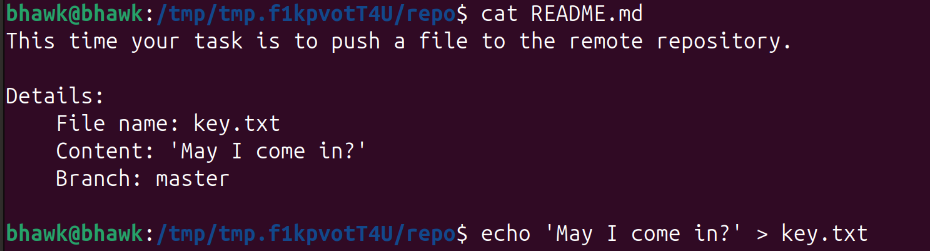
This level changed the Git pattern from reading repository history to writing something back to the remote. The README instructed me to create a file named key.txt, put the line May I come in? inside it, commit the file, and push it to master.
The catch was that the repository’s .gitignore included *.txt, which meant Git ignored key.txt by default. A normal git add key.txt would not stage the file because it matched the ignore rule.
The fix was to force Git to add the file anyway using git add -f key.txt. The -f flag overrides .gitignore for that specific add operation. This was a useful reminder that .gitignore is there to prevent accidental commits, not to make files impossible to track.
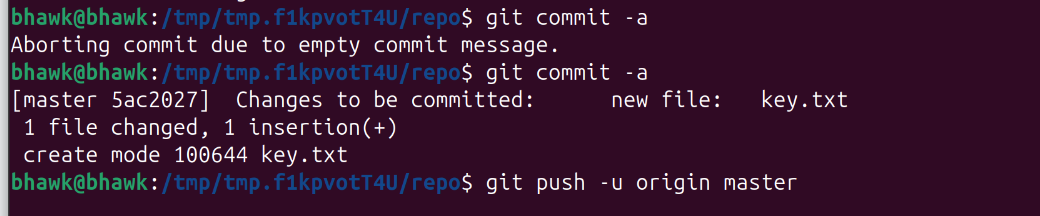
After forcing the file into the index, I committed it and pushed to the remote repository. The remote had a server-side hook that checked the pushed file and printed the password for the next level back in the push output.
The main lesson for me was that ignored files are not forbidden files. Git will skip them by default, but I can still intentionally track one when I have a reason to, such as committing an example config or template file that matches a broader ignore pattern.
Level 33 — The uppercase shell
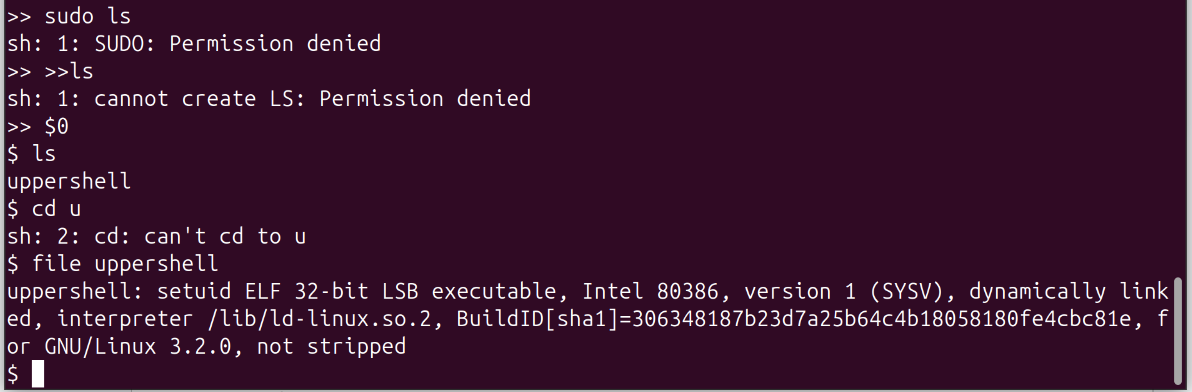
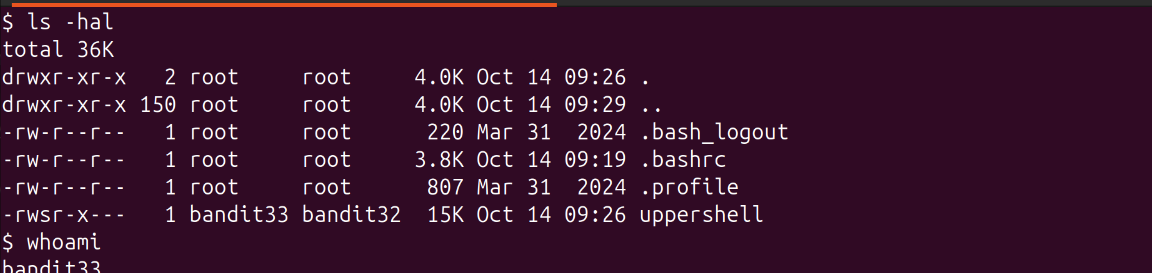
This final challenge returned to the restricted-shell ideas from earlier levels, but with a different twist. After logging in as bandit32, I landed in a shell wrapper that automatically converted every command I typed into uppercase before executing it.
That immediately broke almost everything. Commands like ls became LS, bash became BASH and since Linux command names are case-sensitive, nearly every normal command failed with “command not found.”
The key insight was realizing that shell variable expansion happens before the wrapper’s uppercase transformation fully takes effect. The special variable $0 expands to the name of the currently running shell process itself.
By entering $0 the wrapper only saw the literal characters $0, which contained no alphabetic characters to transform. The shell then expanded $0 into its actual executable path (something like /bin/bash) and launched a fresh shell instance. Since the newly spawned shell was not wrapped by the uppercase filter, I suddenly had a normal interactive shell again.
This level reinforced a broader restricted-shell lesson: many shell wrappers focus on filtering visible command names but fail to account for expansion behavior, builtins, or alternate execution paths. Variables such as $0 or $SHELL, shell builtins like exec, and expansion constructs like command substitution can often bypass simplistic filters because the shell interprets them before the wrapper fully validates the command.
Resources like GTFOBins catalog many variations of these restricted-shell escape techniques and are extremely useful references when analyzing constrained Unix environments.
Level 34 — The finale (there is no level 34)
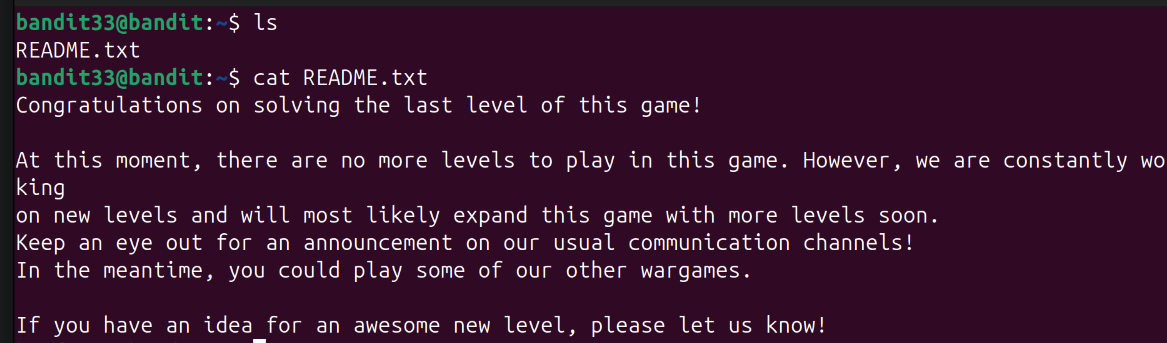
ls showed a README.txt. I cat‘d it:
Honestly, I liked that ending. After spending dozens of levels gradually building up shell habits, networking intuition, Git archaeology tricks, and privilege-escalation instincts, the game just quietly stops instead of trying to end on some giant final boss puzzle. The reward is mostly realizing how much more comfortable I am with Linux and the command line than when I started.
That’s the full Bandit run. More command-line and Linux writeups live under Linux Fundamentals.